

ONN GOOGLE TV REMOTE APP
onn Google TV Remote App for the 4K Streaming Box and 4K Pro
The onn streaming boxes run Google TV. They pair once with a 6-digit code — and they are the onn devices where voice search works from a phone.
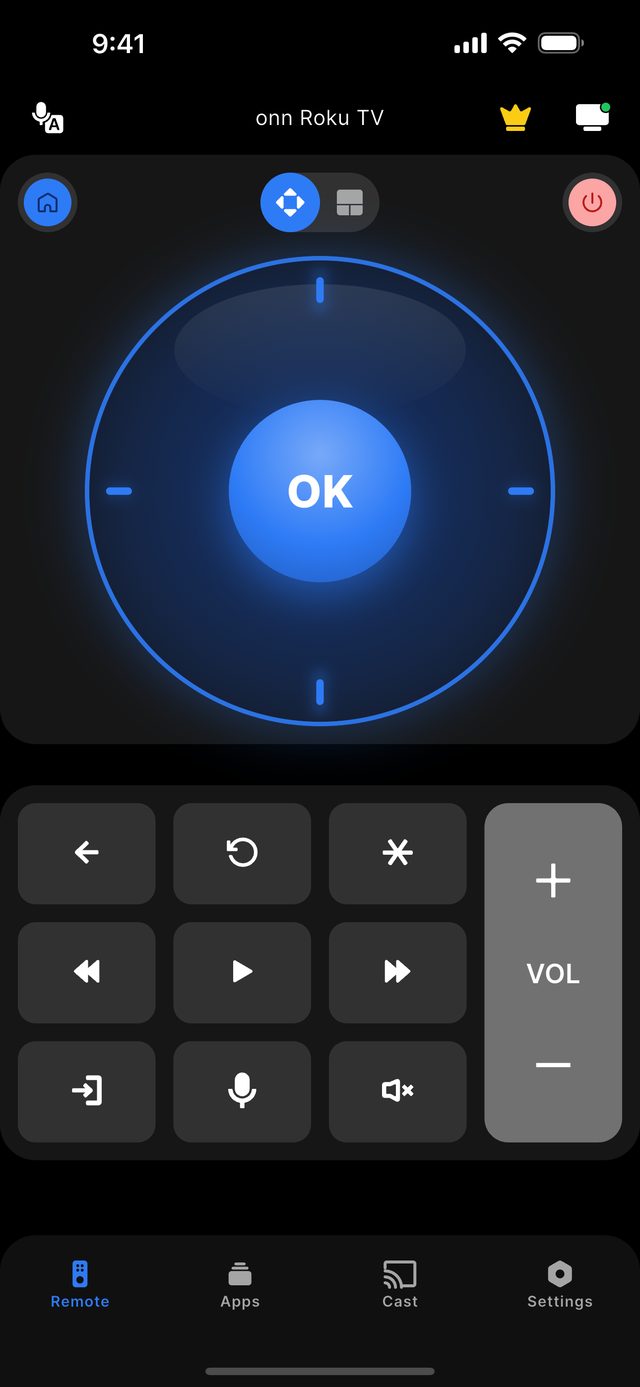
The onn Google TV 4K Streaming Box and the onn 4K Pro are controlled from a phone over Wi-Fi after a one-time 6-digit code. Open Remote for onn TV with the phone on the same network as the box, tap the device in the list, and enter the six digits shown on the television screen. After that it reconnects on its own. These Google TV devices are also the only onn hardware where the app's voice search works, since Roku-based onn devices do not accept voice from a phone.
The small onn boxes sold at Walmart are a different product family from the onn televisions most people know. The TVs are mostly Roku; the streaming boxes run Google TV. That difference is the whole story of how a phone connects: Roku lets a phone in without a code, while Google TV asks the person holding the phone to prove they can see the screen by typing six digits.
The code shows up on the television the moment you tap the box in the app. It is asked once for each phone and never again, so it is a first-evening step rather than a daily one. Because it has to be read off the screen, the box must be awake and the TV switched to its HDMI input before you start.
There is no onn remote app from Walmart. Google's own app covers these boxes, and Roku's covers the Roku-based onn devices; neither covers the other. Remote for onn TV speaks to both, so one app follows you from the streaming box in the living room to an onn Roku TV in the bedroom.
Not sure which model you own? Start with the onn platform guide, or read what the app does on the features page.
The facts for this model family
onn Google TV box: what you see on first connection and what to do
| What you see | What it means | What to do |
|---|---|---|
| A 6-digit code on the TV | Normal first-time pairing | Type it into the app |
| The box is listed but no code appears | The TV is on another input, or the box is asleep | Switch the TV to the box's HDMI input and wake the box |
| "Pairing cancelled" | The prompt was dismissed on screen | Tap the box again and leave the code showing |
| The box is not in the list | Phone and box are on different networks | Join the phone to the same Wi-Fi as the box |
| An onn Roku device connects with no code | That one is Roku, not Google TV | Nothing — it is working as designed |
- Devices on this platform
- onn. Google TV 4K Streaming Box and onn. 4K Pro
- Pairing
- 6-digit code shown on the TV screen, once per phone
- Voice search from the phone
- Yes — onn Google TV devices only (Premium)
- Before you start
- The box must be awake and the TV on the box's HDMI input, or the code cannot be read
- First-party onn app
- None — Google's app covers these boxes, Roku's covers the Roku-based onn devices
- onn televisions with Google TV
- Sold from 2024 in parts of the range; they are not on this app's verified list — see the limits below
Step by step
Step by step: onn Google TV Remote App.
Each step takes seconds. No account is needed — only your phone, the same Wi-Fi as the TV, and a code if your model shows one.
-
Wake the box and select its input
Turn the TV to the HDMI input the onn box is plugged into and make sure the Google TV home screen is showing.
-
Join the same Wi-Fi
Connect the phone to the same home network as the box. A guest network will hide it.
-
Tap the box in the app
Remote for onn TV lists the devices on your network. Tap the onn Google TV box and a 6-digit code appears on the TV.
-
Enter the code once
Type the six digits into the app. The phone is remembered, and later sessions connect without a code.
Common questions
onn Google TV Remote App — your questions answered.
Where is the pairing code for the onn 4K Streaming Box?
Does voice search work on the onn Google TV box from a phone?
Does this app work with the onn 4K Pro?
Will it control an onn Google TV television, not just the box?
What is free with the onn Google TV remote app?
Get the app
Put your onn. TV remote on your phone.
Remote for onn TV finds your TV on Wi-Fi and connects the way your model expects. Roku-based onn. TVs and players connect without any code. onn. Google TV devices show a 6-digit code on the screen the first time you connect. Navigation, volume and channels are free; Premium adds Power, Home and Back.

iPhone version: in App Store review — available on Google Play now.
An independent app by Auxility, Inc. Not affiliated with, endorsed by, or sponsored by Walmart. onn. is a trademark of Walmart Apollo, LLC, used only to indicate device compatibility. Roku is a trademark of Roku, Inc.; Google TV and Android TV are trademarks of Google LLC.
Keep exploring